Clip editor
Clip it. Caption it. Post it.
- Price
- Free, with a Streampal account
- Loads
- Kick clips by channel or link, MP4, MOV and WebM
- Exports
- 1080p MP4 for TikTok, Shorts, X and square
- Needs
- A browser. It renders on your device
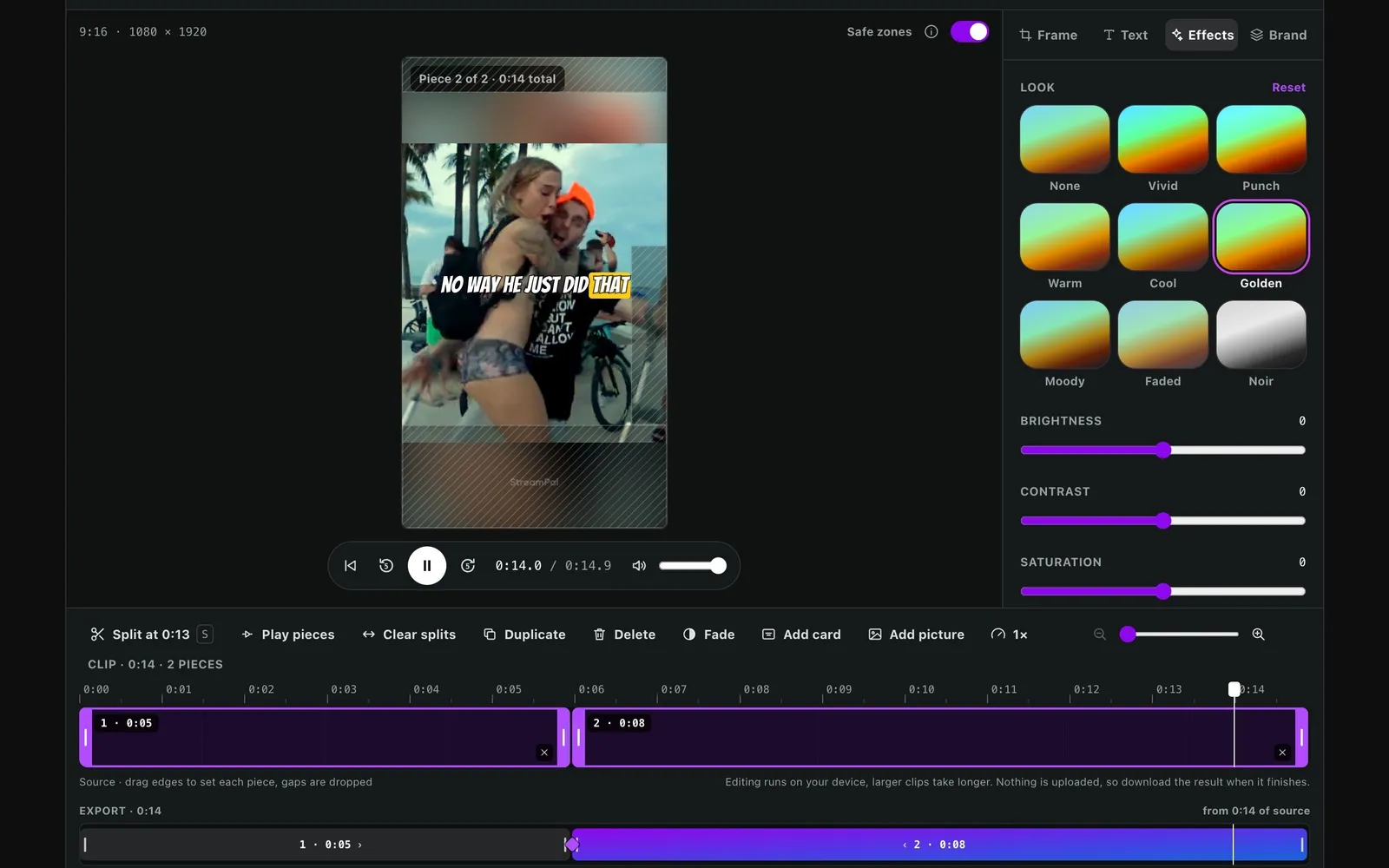
A clip editor that runs in your browser. Load a Kick clip or your own video, cut it to TikTok, Shorts, X or square, give it a colour look, a transition on each cut and a caption that lights up word by word, add your branding, and export a 1080p MP4 rendered on your own device. Nothing to install and nothing to pay.
Try the real editor.
This is the editor members use, on a sample clip. Edit it and download the result, no account needed.
Four steps to a finished clip.
- 1
Load a clip
Type a Kick channel to browse its clips, paste a clip link, or upload a video from your device.
- 2
Pick the shape
TikTok, Shorts, X or square. Fill the bars with blur, keep them black, zoom in close or split the screen.
- 3
Cut, colour and caption
Split and reorder the pieces, add a transition on each cut, pick a colour look and an animated caption.
- 4
Export
Your device renders a 1080p MP4. Download it, or submit it to a clipping campaign.
The details.
Renders on your device
Your graphics card does the work in the browser, with a slower fallback for browsers without it. Your clip never waits in a queue.
Colour looks
Eight looks, from Vivid and Golden to Moody and Noir. What you see in the preview is what renders.
Transitions
A Dip to black, a white Flash or a Zoom punch on any cut, or on every cut at once.
Animated captions
Karaoke, Highlight, Reveal or One word at a time, in seven fonts, at the top, middle or bottom.
Kick, by channel
Type a streamer's Kick name and scroll their clips, 20 at a time. Pick one and it opens in the editor.
Safe zones
See where TikTok's and YouTube's buttons and captions will sit, so nothing important ends up under them.
Fine tuning
Brightness, contrast, saturation and warmth on sliders, on top of any look or on their own.
A real timeline
Split, duplicate, delete and drag pieces into a new order. Fade each one in and out.
Your branding
Add a streamer banner across the frame and your own logo in a corner.
Free, or no watermark.
EditorClip editor
EditorClip editor
EditorClip editor and Clip Studio
WatermarkStreampal mark
WatermarkNone
WatermarkNone
SourcesKick clips, uploads
SourcesKick clips, uploads
SourcesAdds Kick VODs, Twitch clips, X posts
CaptionsTyped, 7 fonts, animated
CaptionsTyped, 7 fonts, animated
CaptionsAdds AI captions in 16 languages
Effects8 looks, 3 transitions
Effects8 looks, 3 transitions
Effects8 looks, 3 transitions
RendersOn your device
RendersOn your device
RendersYour GPU, or our servers on a phone
Questions.
Is the clip editor free?
Yes. Any signed-in Streampal member can use it at no cost. Free exports carry a small Streampal watermark; the Clipper plan removes it.
Do I need to install anything?
No. It runs in your browser and renders the video on your own device, using your graphics card where the browser supports it.
What can I load into it?
Kick clips, by typing a channel name or pasting a clip link, and your own MP4, MOV or WebM files. Kick VODs, Twitch clips and X videos are in Clip Studio.
What sizes does it export?
1080 by 1920 for TikTok and YouTube Shorts, 1920 by 1080 for X, and 1080 by 1080 square, as an MP4.
Does it write captions for me?
No, you type the caption, pick from seven fonts and choose how it moves: Karaoke, Highlight, Reveal or One word. Clip Studio writes captions from speech and translates them into 16 languages.
Does it have filters and transitions?
Yes. Pick one of eight colour looks or set brightness, contrast, saturation and warmth yourself, and put a Dip, Flash or Zoom on any cut. They render exactly as the preview shows them.
Can I get paid for the clips I make?
Yes. Clips made here can go into Streampal's clipping program, which pays per view. The clipping guide explains how.
Clip it. Caption it. Post it.
Start editing freeThe editor is free with any account. Clipper removes the watermark, Clipper Pro adds Clip Studio.
Clipping Kick streams? Kick clips to TikTok, step by step